Showing posts with label Android. Show all posts

Saturday, January 3, 2015

Six New Android Phones to Release in 2015

Here, There is a big list to check which Android phones to release in this year.

Android Phones to Release in 2015

Samsung Galaxy S6  :-


Samsung Galaxy S6

It is obvious that people will keep an eye on big-budget Samsung Galaxy S6. It is most likely going to be good, but it is difficult to see how Samsung plans to reform its approach to flagship smartphones. Galaxy S6 could make or break Samsung's dominance in the high-end market.

LG G Flex 2 :-
LG G Flex 2


The LG G Flex 2 sticks on our watch list, as this handset is expected to be the showcase for LG’s new and flexible display technology.

OnePlus Two :-
OnePlus Two


OnePlus clearly has not made choices that have satisfied everyone, but the company is bound to have learnt a lot by the time the OnePlus Two rolls around.

Xiaomi Mi5 :-
Xiaomi Mi5

Xiaomi has been making waves in China and India with its cost-effective brand of smartphones throughout 2014. The Chinese company will be looking forward to make some noise early this year, as it has an unspecified flagship scheduled to launch in January.

Project Ara  :-
Project Ara

Project Ara’s modular design could completely reshape the way we think about smartphone upgrades. The device is still in development. We are edging ever closer to the consumer pilot anticipated to arrive towards the end of 2015.

Nexus 5 :-
Nexus 5

There is actually no real information circulating about a refresh or replacement to the existing Nexus 5, but considering the mixed responses to the huge size and price of the Nexus 6 and the roll-out of new 64-bit SoCs next year, there is a small possibility that Google may want to put out an improved 5-inch handset sometime in the next 12 months. It’s clear that Google does not view the Nexus 5 as part of its current line-up.

Source :- Androidauthority

Monday, December 29, 2014

Change Notification Sounds in your Android Device


Notification sounds can be a lot of fun for us as well as it is a great way to explore android customization. Your device would be announced when you have got an email. It will catch phrase from your favorite movie and snippets of your favorite song, if it can be saved as an audio file on your device, It can be your notification sound. But how to do this? Let me explain.

There are many ways to change your notification sound. Android has built-in tools to handle the setting, or you can install one of many applications.

There is a need to choose a proper sound for your needs.

Change notification sound :-

It is quite easy to change the notification sound. This process is almost similar on all versions of Android out there. Today’s imagery is from a vanilla Android 5.0.1 Lollipop device.


Start from the main settings. 

Find and tap on Sound and notification, It may just say sound.  

Now, Find and tap on Default notification ring tone your device may say Notification Sound. If this option is grayed out on you, it may be blocked when your device is on vibration as well as a silent mode, or priority mode. To get it back just turn your volume back.   

Now, you can choose a sound after tapping and hearing all. 

Tap OK to finish,when you have chosen.

All above steps help you to choose a notification sound from the in-built options. If you want to use  your own audio file, then you need to employ a third party app to continue. 

Using your own media files as a notification sound :-

It would be great to use and customize your own media files as a notification sound. There is a big list of apps, which will help you.  If you are looking forward to take a clip of a music file, you will want to look at some of the ring tone or .mp3 snippet apps like Ringtone Maker.  


Here, ES files Explorer is a preferred file explorer by many. If you have ES File Explorer installed, you will have seen the option to us the app when you tapped on Default notification ring tone above.

ES files Explorer simply activates the file you tap on. However, once you choose the file, it registers as a notification sound and will be available to choose from the default android sound chooser.

Friday, September 5, 2014

Tips and Tricks to Make Your Android Phone Run Faster


There are various tips to speed up your Android phone. Check out the few things which you can use to make it feel faster.

Make Up to Date your Phone :


First, you should make sure that you have updated your software, which contains bug fixes and general improvements. It will help your device to run faster. For updating software:

Go to Settings>About Device>Software Update and then check for updates.

You should apply this same logic to apps and make sure all the apps you use are up to date.

Clean up your home screen :

You should remove unused icons and limit your widgets to the essentials. If you are using any live wallpaper, then replace it with a static image.
 
Uninstall and disable unused apps :


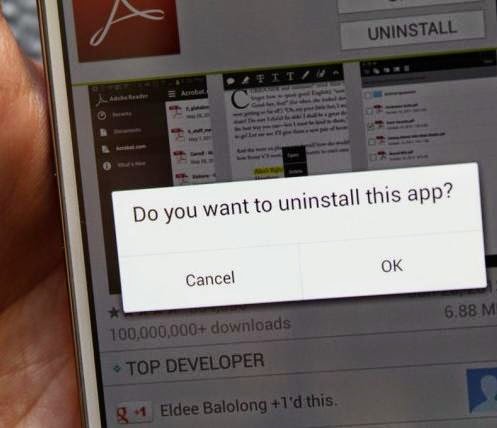
Uninstall apps from your device that you never use. Go to settings>Apps and swipe over to the All tab.
Tap on any app that you don't want and choose to uninstall or disable. Disable apps will be listed in a new tab, so you can always enable them again in the future.

You should also take a look in Settings > Apps at the Running tab. Some apps want to be running all the time, and they can seriously impact on performance. Think carefully about whether you need what’s listed there.

Reduce Animations or Turn off :


You can make your Android device feel memorable by turning off some of the animations. Go to Settings > About phone and scroll down to the System section to look for Build number. Tap on it seven times and you will see a message to be a developer. Additionally, you can go back to the previous menu.

Tuesday, July 29, 2014

Five Awesome Music Player Android Apps

If you are very fond of music, then cheer up with these five best music player android apps.

Best Music Player Android Apps

Best Music Player Android Apps

1. doubleTwist Music Player :-
doubleTwist Music Player
Price: Free with in app purchases

doubleTwist is a great music player with a long running pedigree of excellence. Additionally, This is a radio station, where you can get for a monthly subscription and the in app purchases are extra features. DoubleTwist Music Player app is simply and stable which comes with an alarm clock.

2. Equalizer + mp3 Player :-
Equalizer + mp3 Player
Price: Free / $4.90

Equalizer is an MP3 player application that keeps the equalizer prominently displayed at all times so we are always near a few swipes of altering the sound to match your tastes. The core app is free but to get all the features you will have to fork out $4.90 for the full version.


3. Google Play Music :-
Google Play Music
Price: Free 

This is a Google's music player. Here, you can upload up to 20,000 songs to the Google Play Music website. Google Play Music's subscription service is really good to get everything all in one spot.


4.  jetAudio music player :-
jetAudio music player
Price: Free / $3.99 with in app purchases

jetAudio is the first music player on this list which has a ton of features. Long features list always looks really good. Additionally, the interface is really very cool.


5.  n7player Music Player :-
n7player Music Player
Price: Free / $4.49

n7player is the first music player on this list that tries to think outside the box a little bit. You can use free version of the app indefinitely.

Monday, July 28, 2014

Top Android Applications for Office Work

Let's remain in touch with best android applications for office work.

Top Android Apps for Office Work

1. Chrome Remote Desktop :-
Chrome Remote Desktop

Price: Free
Chrome Remote Desktop is a very decent option for an office suite. You can use chrome remote desktop on your computer and easily access it. Even you can use chrome remote desktop at your own home.

Chrome Remote Desktop - Pros and Cons

2. Docs To Go :-

Docs To Go
Price: Free with in app purchases

Docs To Go was among the first to embrace the freemium purchase model and so you can get this app for free. You need to pay for some new feature. 

Docs To Go - Pros and Cons


3. Google Drive (and company) :-

Google Drive (and company)

Price: Free
Google Drive has kind of morphed from a cloud storage app with office features to an office suite with cloud features. It is free and you get 15GB of free cloud storage!

Google Drive (and company) - Pros and Cons

Thursday, July 17, 2014

Top Alarm Clock Applications for Android

Set a time and wake up at your own time with using the best alarm apps for android users. Here, you will find the trendy applications through which one can surely do something other than just set a time to get up in the morning.

Top Alarm Clock Apps for Android

1. Alarm Clock by Double Twist :-


Alarm Clock by double twist is a little funny alarm with few basic features. Once can set multiple alarms, setting a nap timer and has an option to set the alarm with the local sunrise.


Price : $1.99

2. Alarm Clock Xtreme :-

With using Alarm Clock Xtreme, you can set a favorite song as your alarm. The free version is full featured, but ad supported and the paid version removes ads. 


Price: Free / $1.99

3. Alarmy (Sleep If U Can) :-


This alarm app is for those who have trouble waking up in the morning. You take a picture of something in your house like your kitchen sink. Once you do that, every morning you have to wake up. The free version is ad supported, and the full version is ad free both provide full functionality.

Price: Free / $1.71 

Saturday, July 5, 2014

Sony Xperia Z3 – Compact Specifications, Video and Images

According to the sources, Sony xperia Z3 will come with 2.5GHz quad-core Snapdragon, 801 processor MSM8974-AC chipset and a 4.5-inch display.

Sony Xperia Z3 Specifications

Sony Xperia Z3 Specifications

 Additionally, It includes 20.7 mega pixel rear camera and 2.1 mega pixel front camera. It will be thrilled with 2BG of RAM, and the handset will be running Android 4.4.2 KitKat, 3.4 kernel and so on. Overall, Xperia Z3 will look similar to Xperia Z1 and we can see that all Sony Xperia Z3 specifications look really fine.

Sony Xperia Z3 Leacked Image

We can see in the pictures that, this newly brand smartphone looks nearly similar to their predecessors.

We are expecting that, Sony will officially announce for Xperia Z3 in the IFA show which will take place in September end.

Refer the video for getting detail information :-


Wednesday, July 2, 2014

Find Awesome Apps to Increase your Productivity

Manage your task and improve your work productivity with these great Android applications.

aCalendar Android Calendar :-
This is a calendar app that can replace the stock whatever you have in your device. It's colors help you to stay organized.

Price: Free / $3.99

Pros :-
  • Unique features
  • Many color options
  • Free version without any ads  


Cal Calendar :-


Get something new, functional and nice in Cal calendar app. It helps you to stay on top of your day. Cal calendar is totally free app.

Price: Free

Pros :-
  • Supports major calendar functions
  • Easily kepp track of tasks
  • Great design and features
  • Free version without ads


IFTTT :-
It is a fun little app which can make using your phone just that much easier. You can make various connections between apps and the thing when you need the things.  It takes a little time to learn but pretty funny app. 

Price: Free

Pros :-
  • Easy to use
  • Infinite number of ways to do whatever you want


Thursday, June 26, 2014

Android TV – Most Awaiting Google Product

Google has finally announced Android TV. Android TV is based on the latest Android L operating system. This Android TV comes with the fresh look and design of Google's new material design, including many basic Google apps, including play store.

Android TV Details 


Android TV is controlled via voice input and D-Pad control, which can come either from a game controller input otherwise android device, which is running the Television app. Android Wear is also useful to generate the required D-Pad input.

Video, Movies and Music :-


Android TV comes with the full access of Google Play store's exiting content, including listening music and watch all shows which you have purchased for your tablet devices. You need to just login with your google account. On the right side, you can access thousands of movies, songs and TV shows.

Moreover, Google has done partnership with usual media suspects. Android TV has access of the popular streaming services, including Netflix, Hulu, Spotify and many others. There is a one different store for Android TV to arrive with the launch of Android L, which provides applications, games and streaming services that are specially optimized for Android TV.

The whole user interface has been optimized for the big screen, including easy navigation for favorite apps, games and many more. The entire system is hooked up to Google's search engine with quick search for your favorite shows, gathering fast information about actors and actresses and a list of Ocsar nominated movies.

Android TV provides you a variety of traditional TV inputs, including HDMI, conventional TV tuners and IPTV receivers.

Play With Your Favorite Games :-


By putting games up on the big screen, Google has opened the door for developers to bring split screen gaming to android. 
It allows for cross platform multiplayer games, with one person playing on a TV and another playing on a tablet. 

Run With Set-top Box :-

Android TV will be coming with a variety of form factors, including Tvs, set-top boxes, and streaming boxes.

Thursday, June 19, 2014

Android 4.4.4 KitKat Update Breakdown for Some Nexus Devices

Recently, Google has updated operating system KitKat to 4.4.4 with security fixes, including one patch.

Android 4.4.4 Release


KitKat 4.4.3 updated before just a couple of weeks even though, google quietly updated the next version.

KitKat 4.4.4 is now available for some Nexus devices via the Factory Image page. Android 4.4.4 Factory Image : Download

Devices get the update include the Nexus 4, 5, 7, and 10.

Based on the information; this new Android 4.4.4 is minor and entails a few security patches.

Best Applications for your Android Tablet

Best Android Tablet Apps

If, you are an owner of Android tablet. Then, get something attractive. Check out the below list of interesting android tablet apps that you should have.

Amazon Kindle :-

Price: Free 
If you have your own kindle device and have ebooks from Amazon, then you can easily signup with your account and sync this book with your tablet. The application is free to boot. That is the great experience to read a book in the dark. 


Android Device Manager :-
Price: Free 
With using Android Device Manager, you can get an app that syncs with your google account and does not take up hardly any resources. There is a web interface where one can track their tablet. 


Google Chrome Browser :-

Price: Free 
The google chrome app has many features, although it can be a little heavy on the RAM sometimes.  


Evernote :-

Price: Free with in app purchases
Evernote has a lot of features, including cloud storage integration and cross-platform support.  

Flipboard :-

Price: Free
Flipboard is an RSS reader where you can subscribe to various news sources and keep up on what is going on in the world. It also comes with the podcact and video support if you want to see a video. 


Tuesday, June 17, 2014

Best Android Widgets of the Year

Let's take a look of updated list of the best Android widgets.

Battery Widget Reborn :-
It allows for a bunch of shapes and colors. It will customize good with any theme. 


Price: Free / $1.99


Beautiful Widgets :- 
Beautiful widgets is an amazing option for all who are in need of widgets. It has been around for a very long time.


Price: Free / $2.75

Clock Now :-
Clock Now comes in the dark and light colors which has a few widget styles. It is in the style of the old Google Now cards. 

Price: Free


DigiCal+ Calendar & Widgets :-
DigiCal+ Calendar & Widgets seems to have this task under control with their calendar widgets. The widgets are not customizable. Widgets come in the neutral colors so it should compatible with most of the themes.


Price: Free / $4.95


Check out the video, if you want anything extra.!

Original video for the best Android widgets!